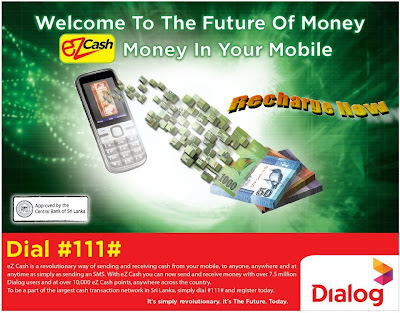
Dialog Axiata Plc has introduced a mobile money concept branded 'ezcash' in Sri Lanka. The initiative will come into effect from today. Dialog mobile customers will be able to register for an ezcash account by dialing #111# from their mobile phone and can then load money into his/her account upto Rs. 10,000 (classic account) and Rs. 25,000 (power account), which can be used for a variety of purposes from paying utility bills or transfer funds from one user to another
Step 1: Dial #111# and follow the instructions on your screen.
Step 2: Upon successful registration you will receive an SMS notification.
Please protect the confidentiality of your PIN at all times.
On registration, a Classic Account with an account limit of Rs.10, 000 is activated.
To enhance your eZ Cash account Limit
You can activate a Power Account with an account limit of Rs. 25,000. Please visit the nearest Dialog Customer Care Centre to activate your Power Account.
Where can you find an eZ Cash point?
There are more than 10,000 eZ Cash points across the country, visit any eZ Cash Point and Top-up your account and you are ready to experience the most convenient and simple way to send and receive money and pay your bills.
To Send Money
Step 1: Dial
#111# and select “Send Money”
Step 2: Enter PIN
Step 3: Enter recipient’s mobile number
Step 4: Enter amount
Step 5: Confirm transaction
Step 6: You will receive a receipt via SMS
For Dialog Bill Payments
Step 1: Dial
#111# and select “Dialog Payments” from menu
Step 2: Enter PIN
Step 3: Select one of the following (Dialog Mobile, Dialog TV, Dialog WiMax, Dialog Fixed Line)
Step 4: Enter your Dialog mobile number / account number
Step 5: Enter amount
Step 6: Confirm transaction
Step 7: You will receive a receipt via SMS
For Utility Bill Payments
Step 1: Dial
#111# and select “Utility Payment” from menu
Step 2: Enter PIN
Step 3: Select relevant utility provider (CEB, LECO, Water Board, SLT etc.)
Step 4: Enter account number(Avoid using spaces & symbols when entering an A/C number)
Step 5: Enter amount
Step 6: Confirm transaction
Step 7: You will receive a receipt via SMS
For Pay Merchant
Step 1: Dial
#111# and select “Pay Merchant”
Step 2: Enter PIN
Step 3: Enter merchant’s mobile number
Step 4: Enter amount
Step 5: Confirm transaction
Step 6: You will receive a receipt via SMS
For Balance Check
Step 1: Dial
#111# and select “Balance Check”
Step 2: Enter PIN
Step 3: View pop-up screen with details on phone
For Mini Statement
Step 1: Dial
#111# and select “Mini Statement”
Step 2: Enter PIN
Step 3: View pop-up screen with details on phone
For Change PIN
Step 1: Dial
#111# and select “Change PIN”
Step 2: Enter current PIN
Step 3: Enter new eZ Cash PIN
Step 4: Re-enter new PIN
Step 5: Receive SMS confirmation
For Detailed Statement Request via Dialog Customer Service Point
You can walk into any Dialog Customer Service Point and request for an eZ Cash Account detailed statement.
eZ Cash Account Top-up / Recharge
Step 1: Merchant initiates the transaction
Step 2: You will have to provide your mobile number, the amount to be topped up
Step 3: Hand over the cash to the merchant
Step 4: You will receive a confirmation SMS
To Withdraw Cash at any eZ Cash Point
Walk into any eZ Cash Point and request for the Cash Withdrawal Service
Step 1: Merchant initiates the transaction
Step 2: You will have to provide your mobile number and the amount which is to be withdrawn
Step 3: Once Merchant confirms Transaction you will immediately receive a pop-up on your phone requesting your PIN to authorise theTransaction
Step 4: Enter your PIN on your mobile to authenticate
Step 5: You will receive a confirmation SMS
Step 6: Merchant will hand over cash
Please see table below for limits applicable for each transaction.
| Transaction Type | eZ Cash Account Category | Minimum Limit Per Transaction (LKR) | Maximum Limit Per Transaction (LKR) |
|---|
| Top-up and Receive Money | Classic Account | N/A | 10,000 |
| Power Account | N/A | 25,000 |
| Send Money | Classic Account | N/A | 5,000 |
| Power Account | N/A | 5,000 |
| Dialog Bill Payments | Classic Account | 20 | 10,000 |
| Power Account | 20 | 25,000 |
| Utility Bill Payments | Classic Account | 20 | 5,000 |
| Power Account | 20 | 25,000 |
| Payment for Goods at eZ Cash merchants | Classic Account | 10 | 5,000 |
| Power Account | 10 | 25,000 |
| Internet Based Payments for any web merchant | Classic Account | 10 | 5,000 |
| Power Account | 10 | 25,000 |
eZ Cash Transaction Charges
| Transaction Type | Transaction Charges (Rs.) |
|---|
| Cash Top-Up | FREE |
| Send Money | |
| Rs. 0 – 200 | FREE |
| Rs. 201 – 500 | 2 |
| Rs. 501 – 1,000 | 5 |
| Rs.1,001 – 3,000 | 10 |
| Rs.3,001 – 5,000 | 15 |
| Dialog Bill Payments (Mobile, Television, Fixed Line, Internet) | FREE |
| Utility Bill Payments (CEB, LECO, NWSDB (Water), SLT etc.) | Direct from your Mobile 20 |
| At eZCash point with Merchant Assistance – 25 |
| Cash Withdrawal | |
| Rs. 0 – 200 | 5 |
| Rs. 201 – 500 | 10 |
| RS. 501 – 1,000 | 20 |
| Rs. 1,001 – 3,000 | 60 |
| Rs. 3,001 – 5,000 | 100 |
| Payment of Goods at eZ Cash merchants | FREE |
| Mini Statement | FREE |
| Detailed Printed Statement | 200.00 made available at Dialog Customer Care Centres only |
| Balance Check | FREE |
| Change PIN | FREE |
*
All charges provided above are subject to change
My Video Help Pls See
More Details Pls Call 0773300211